In 2023 I moved this site to AWS. As part of the move, I set up request logging, which means I can see every single request ever made to the site. Three years on, it feels like a good time to look back over the data.
The site is effectively dead. I haven’t published any new content in that time, so any traffic it gets isn’t coming from people following a new post or a fresh link. That makes it a useful little laboratory: whatever shows up in the logs is background noise of the internet, with nothing to drown it out.
How the data is stored
The logs are written as compressed files into an Amazon S3 bucket. From there I pull them into Amazon Athena, which lets me run SQL queries over the full data set without having to download or unpack anything. Every question I had about the site turned into a query. Scaning the full data set tasks about 11 seconds to proses the full 200MB of logs.
Requests per month
To get an overview, I started with the simplest question: how many requests did the site receive each month?
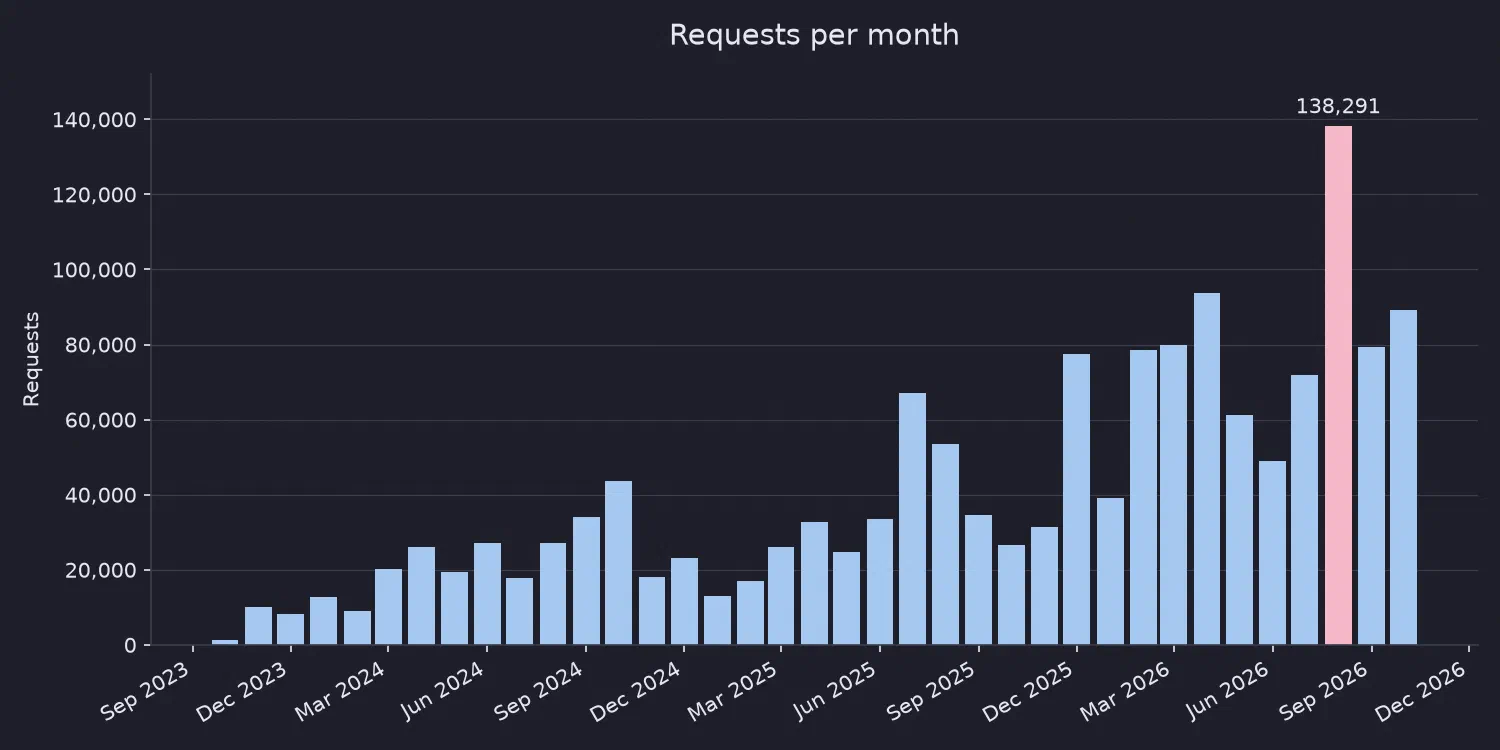
What stands out is the growth. Requests have climbed over the three years, even though there has been no new content. That means essentially 100% of that growth is automated. Nobody is discovering the site and telling their friends. The bots are just getting busier.
The top 25 URLs
Next I looked at the 25 most requested URLs.
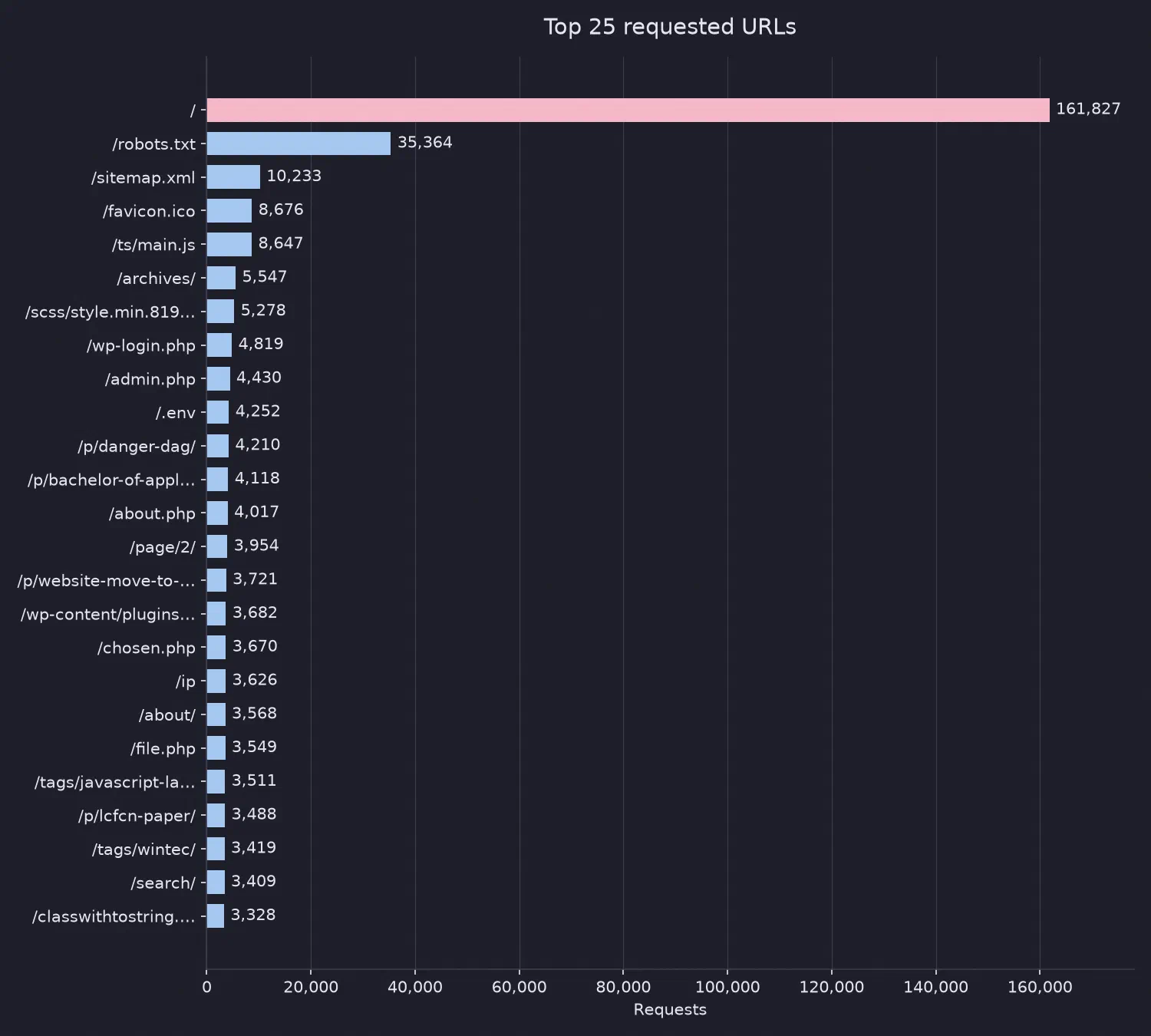
This list shows clear signs of automated scanning. Two entries in particular caught my eye:
/wp-login.phpa check to see whether the site is a WordPress install. It isn’t, but the scanners ask anyway, because on the internet at large it is a very good bet./.enva file that often holds API keys, database passwords and other secrets. If a site accidentally serves it, the attacker gets the keys to everything. I’m curious how often that request actually succeeds on the wider internet.
User agents
Then I looked at what the visitors claimed to be, using the user agent string sent with each request.
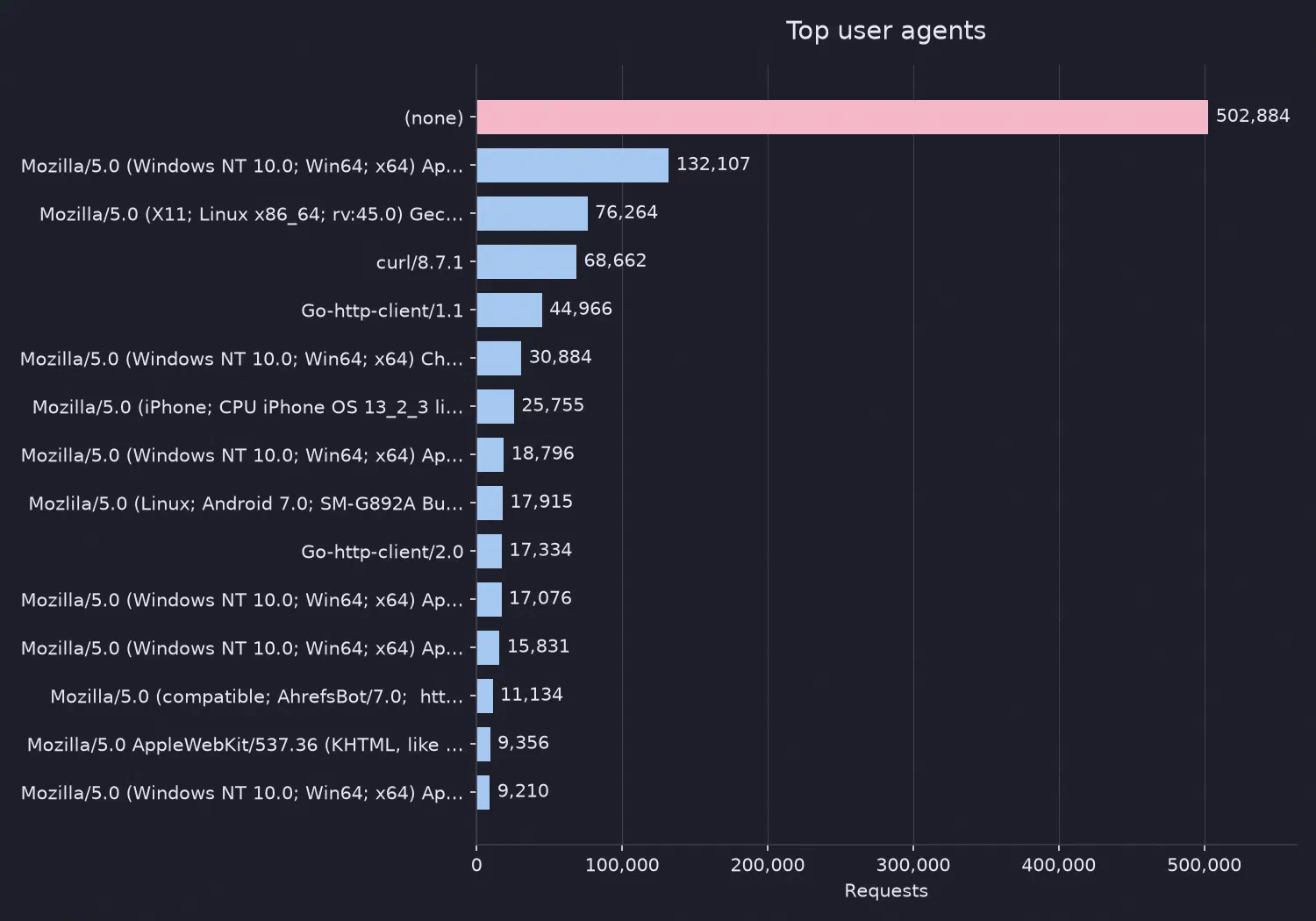
The headline number: over 30% of all requests had no user agent at all. A real browser always identifies itself, so a missing user agent is a strong sign of a script.
Among the ones that did identify themselves, the tooling is revealing:
curl/8.7.1Go-http-client/1.1Go-http-client/2.0python-requests/2.31.0
These are all command-line tools and programming libraries, the sort of thing you use to write a scanner in an afternoon. The remaining user agents looked like ordinary browsers. That doesn’t mean they were real people, since faking a browser string is trivial, but they were at least plausible.
Where is the traffic coming from?
To get a rough idea of geography, I grouped requests by the edge location (PoP) that served them. This isn’t a perfect measure of where a request originated, but it’s a decent proxy for where in the world the traffic entered the network.
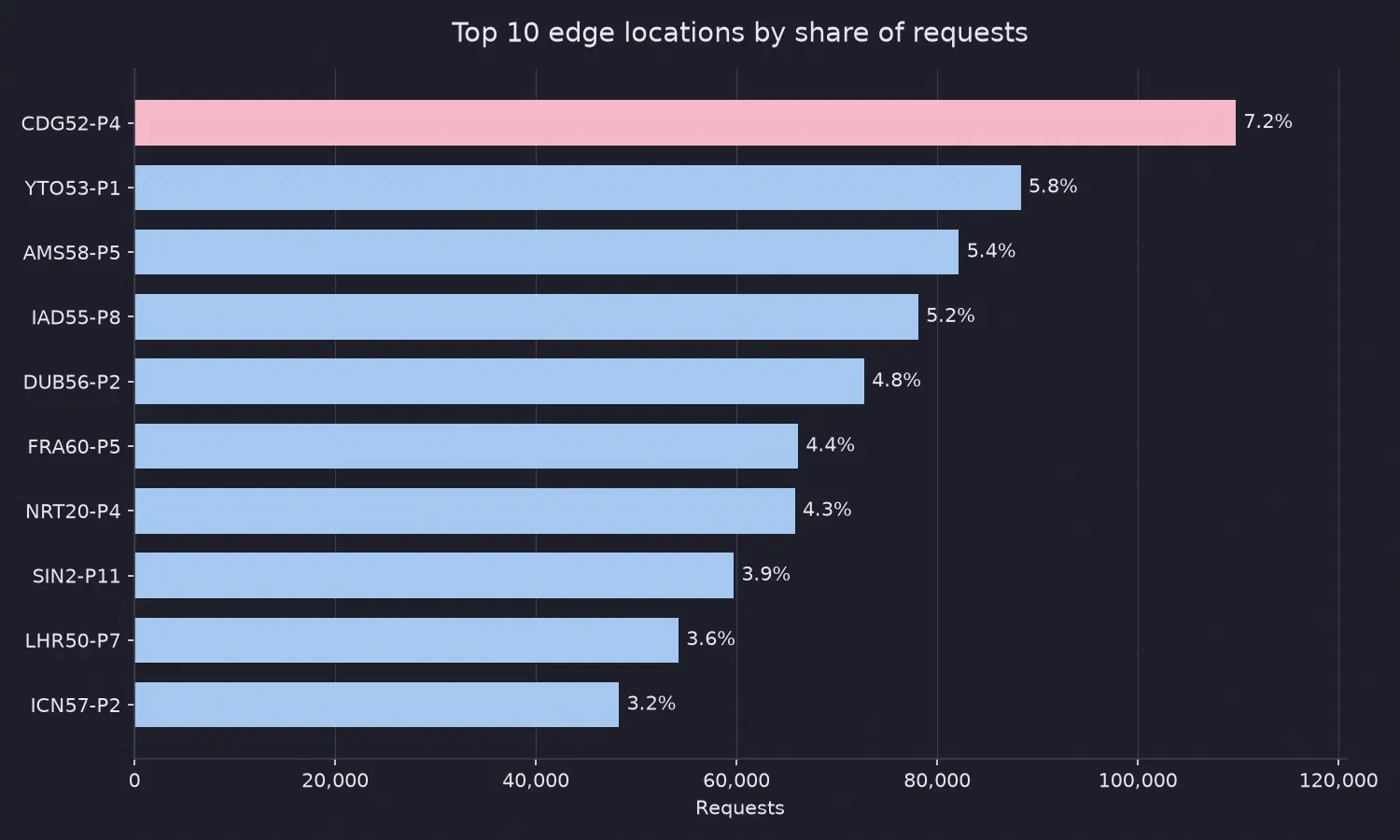
- CDG52-P4 is Charles de Gaulle International Airport in France
- YTO53-P1 is the Greater Toronto Area in Canada
- AMS58-P5 is Amsterdam Airport Schiphol in Netherlands
Beyond those, the traffic is spread across a wide range of locations around the world.
It’s also worth noting where the traffic isn’t. If real people were looking at this site, I’d expect to see the locations closest to its audience near the top. Those locations sit well down the list:
| Rank | PoP | Location | Share of traffic |
|---|---|---|---|
| 11 | SYD3-P3 | Sydney | 2.7% |
| 19 | SYD62-P3 | Sydney | 1.5% |
| 130 | AKL53-P1 | Auckland | 0.04% |
| 132 | AKL50-C1 | Auckland | 0.04% |
Auckland barely registers. The traffic follows where the data centres and scanning infrastructure are, not where the human audience is.
The most persistent visitor
The single busiest IP address was in France, responsible for a little over 0.7% of all requests. That sounds small, but for one address among everything the internet threw at this site, it’s a lot.
First seen: 2026-04-12
Last seen: 2026-09-16
In that time it completed four full scans of the site, working methodically through a long list of paths. Some of what it asked for:
/etc/passwd/id_rsa/.git/hooks/opt/mailcow-dockerized/mailcow.conf/sendgrid.env
That list is a snapshot of what attackers hope to find lying around: system password files, private SSH keys, source control data, and configuration files for mail servers and email services. This is credential fishing, plain and simple. The scanner isn’t targeting me in particular. It is casting a wide net across the internet and hoping some server is misconfigured enough to hand something over.
What this tells me
Overall, this is a large data set of almost purely automated activity. A site with no content, no audience and no promotion still attracts a steadily growing stream of scanners, scrapers and credential fishers, and the volume is rising year on year.
If you run a website of any kind, this is a good reminder that someone is already checking it for leftover secrets, whether or not you’ve ever told anyone it exists.